
Smart Home for Renters: Upgrades You Can Take With You When You Move
As an Amazon Associate I earn from qualifying purchases. Some links in this post go to Amazon and may earn me a small commission at no extra cost to you.
Last Updated on October 4, 2026 by Smarteryouu
⭐ Smart Home for Renters: Upgrades You Can Take With You When You Move
A lot of smart home advice quietly assumes you own the place. Replace the light switches, rewire the thermostat, mount a camera on the front of the house. For renters, most of that is off the table, or at least needs a conversation with the landlord first.
The good news is that a smart home for renters is not only possible, it is often simpler. The best renter friendly upgrades plug into an outlet, screw into an existing light fixture or stick on with removable adhesive. Nothing is wired in, nothing needs an electrician, and everything comes with you when you move.
This guide walks through where to start, what to check before you mount anything, how to handle shared buildings and WiFi, and how to leave the apartment exactly as you found it. The goal is a home that feels more convenient without a single argument about your damage deposit.
Some links on this page are affiliate links. If you buy through one, this site may earn a small commission at no extra cost to you.

⭐ What Makes a Smart Device Renter Friendly?
A renter friendly smart device plugs in, screws in or sticks on, and can be removed without leaving a trace. It needs no wiring, no drilling and no changes to the building. When you move, you unplug it, reset it and pack it in a box.
That rules out a few popular upgrades. Smart light switches, hardwired thermostats and wired doorbells all involve the electrical system, which belongs to the landlord. Even if you are comfortable doing the work, it is not yours to change without permission.
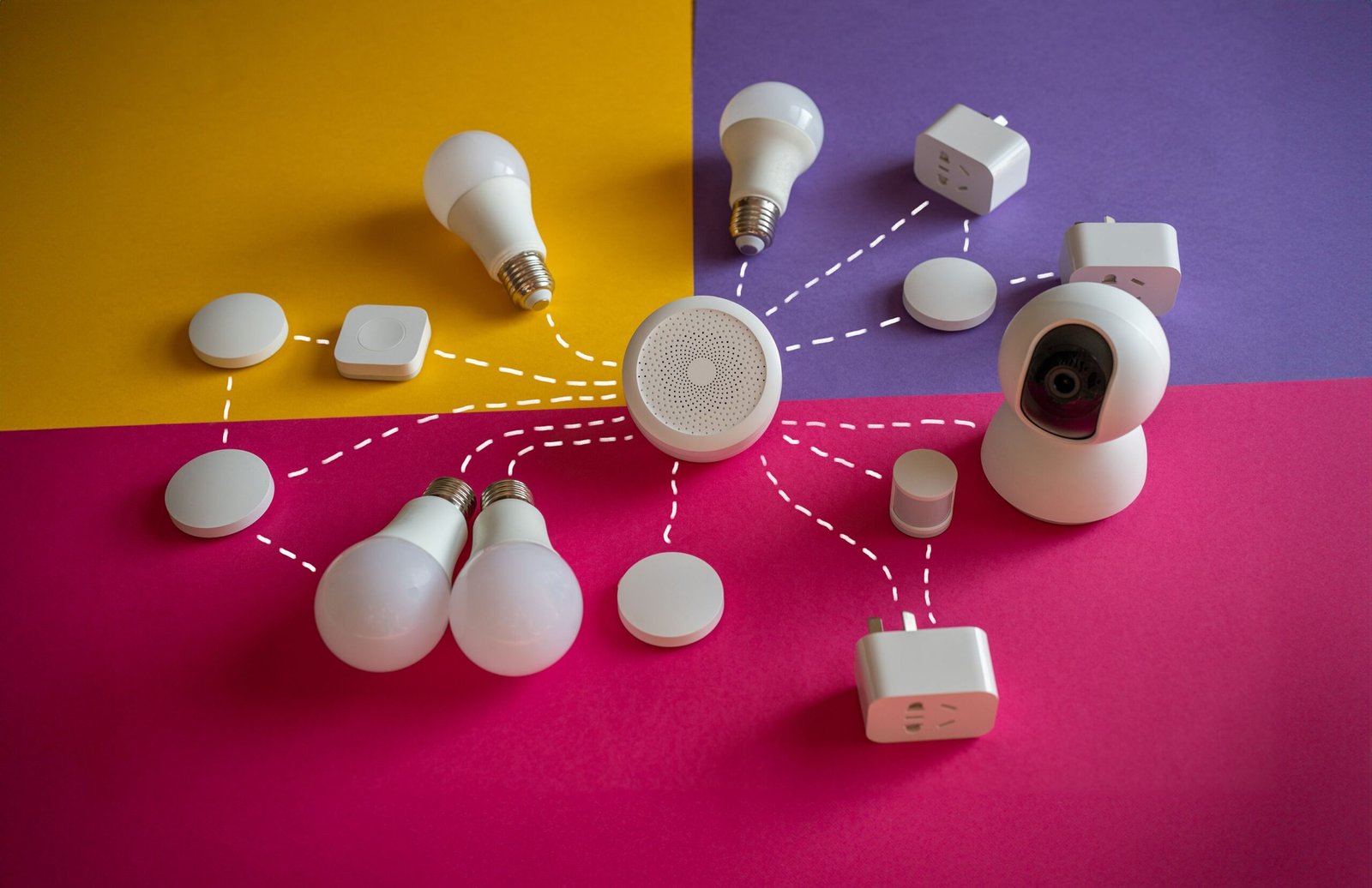
What is left is still a lot. Smart plugs, bulbs, speakers, battery powered sensors and cameras, and many small gadgets fall squarely into the renter friendly category.
A good test is to ask yourself one question before buying. Could I take this with me in a moving box without calling anyone? If the answer is yes, it is probably a safe choice.
⭐ Start With Plugs and Bulbs
Smart plugs and smart bulbs are the easiest place to begin, and they cover a surprising amount of what people want from a smart home.
A smart plug sits between an outlet and whatever you plug into it. Lamps, fans, coffee makers and holiday lights can then be switched on and off from your phone, put on a schedule, or controlled by voice.
Smart bulbs screw into existing lamps and fixtures just like ordinary bulbs. They let you dim the lights, change the colour warmth, and set routines such as lights that slowly brighten in the morning.
Together, they can make an apartment feel noticeably more comfortable. Lights come on before you get home, the fan switches off while you sleep, and the lamp by the door turns on at sunset. Our guide to smart bulbs and smart plugs explains the difference in more detail and which to buy first.
Keep the original bulbs your landlord installed in a labelled bag. When you move, put them back in, and take your smart bulbs with you.
⭐ What Should Renters Ask the Landlord First?
Ask before installing anything that attaches to the building, changes the wiring, or records outside your unit. That includes doorbells, outdoor cameras, smart locks and thermostats. Check your lease as well, since many include rules about alterations. A short, friendly message now avoids problems when you move out.
Most landlords are happy to agree to simple, removable upgrades, especially if you explain that everything will come down cleanly and any holes will be filled.
Put the answer in writing. An email that says the landlord is fine with a battery doorbell by the door is easy to point to later.
Smart locks deserve special care. Many buildings need a master key or have fire safety rules about doors, and a lock is the one device where you should never assume it is fine.
⭐ Cameras, Doorbells and Shared Spaces
Security devices are among the most popular smart upgrades, and renters have good options too.
Battery powered doorbells need no wiring, which makes them far easier in a rental. Mounting still needs your landlord’s agreement, and some tenants use removable mounting options rather than screws.
Indoor cameras that sit on a shelf are usually the simplest choice for keeping an eye on a pet or a package. They move with you and never touch the walls.
Be thoughtful about where cameras point. In an apartment building, hallways, shared entrances and a neighbour’s door are not only yours. Many buildings have rules about recording in common areas, and neighbours reasonably expect privacy. Aim cameras at your own space.
Our guide to smart home security covers protecting devices and accounts, and our look at Ring smart home monitoring explains what a monitored system does well and where it falls short.
⭐ Getting WiFi Right in an Apartment
A smart home is only as reliable as the WiFi behind it. In a rental, that can be the trickiest part.
If your building provides internet through a shared network, smart devices may struggle to connect or may be visible to other tenants. Where possible, use your own router, so your devices sit on a network you control.
Many smart plugs and bulbs connect only to the 2.4 GHz band. Most routers broadcast it alongside a faster 5 GHz band, but if a device will not connect, that is usually the first thing to check.
Change the default passwords on your router and on any device that has one. The Canadian Centre for Cyber Security recommends changing default passwords, using passphrases where possible, and keeping device software updated. Our smart home tips for beginners covers the rest of the setup order.
⭐ How Do You Take It All With You When You Move?
Before moving, remove each device from its app, then factory reset it so the next person cannot access it and your account is clean. Unplug plugs, unscrew bulbs, reinstall the landlord’s originals, and carefully remove any adhesive mounts. Fill small holes and pack everything with its charger.
Removable adhesive strips come away cleanly when pulled slowly and straight down along the wall, rather than outward.
If you mounted anything with screws with your landlord’s permission, remove it, fill the holes with a little spackle and touch up the paint if needed.
Make a simple list of your devices as you pack. Setting everything up again in a new place is much quicker when you know exactly what you own.
⭐ Keep It Simple and Useful
It is easy to buy more smart gadgets than you need. In a rental, where space is limited and everything has to move eventually, a small, useful setup is usually better than a large one.
Start with one or two problems you actually want solved. Lights that come on when you get home. A fan that turns off on its own. A way to see who is at the door.
Small battery sensors are one of the most underrated renter upgrades. A water leak sensor under the kitchen sink or beside the washing machine can send an alert to your phone the moment it gets wet. In an apartment, where a slow leak can reach the unit below, that early warning is worth far more than it costs. Door and window sensors are similar. They stick on with adhesive, need no wiring, and peel off when you leave.
Smart speakers and displays are renter friendly too, since they simply plug in. They can be a handy way to control lights and plugs by voice, though they are optional rather than essential.
Add devices slowly, and only when something genuinely makes daily life easier. Our smart home living tips cover what happens when the internet goes down and why ordinary switches still matter. More guides are gathered in our Smart Home section.
⭐ Best Sellers
Top Products and Picks
Three renter friendly upgrades that need no wiring and come with you when you move.
The easiest first step
Kasa Multicolour Smart Bulbs, 2 Pack
For lamps and ceiling fixtures you can already reach. They screw in like any bulb and connect over WiFi with no hub. Keep your landlord’s original bulbs in a drawer so you can put them back when you move.
Check price on AmazonFor lamps, fans and the coffee maker
Kasa Smart Plug Mini, 4 Pack
For turning ordinary plug in devices into ones you can schedule or switch from your phone. Small enough not to block the second outlet. They connect to 2.4 GHz WiFi, which most routers offer.
Check price on AmazonAsk before you mount it
Ring Battery Doorbell 2K
For renters who want to see who is at the door. It runs on a rechargeable battery, so no wiring is needed. Check with your landlord before mounting. It is the newest model, so reviews are still few and average 4.0.
Check price on Amazon⭐ Final Thoughts
Renting does not mean missing out on the comforts of a smart home. It simply means choosing upgrades that plug in, screw in or stick on, and leaving the building itself as it is.
Start with plugs and bulbs, since they do most of the work. Ask your landlord before mounting anything outside or changing anything wired. Keep cameras pointed at your own space, and use a network you control.
When the time comes to move, reset each device, put back the original bulbs, and pack it all in a box. Your smart home comes with you, ready to be set up again in the next place, and the apartment is left just as you found it, deposit and all.
⭐ Additional Resources
Canadian Centre for Cyber Security: Internet of Things security explains how connected devices work and the basic steps for using them securely, such as changing default passwords and keeping software updated.