
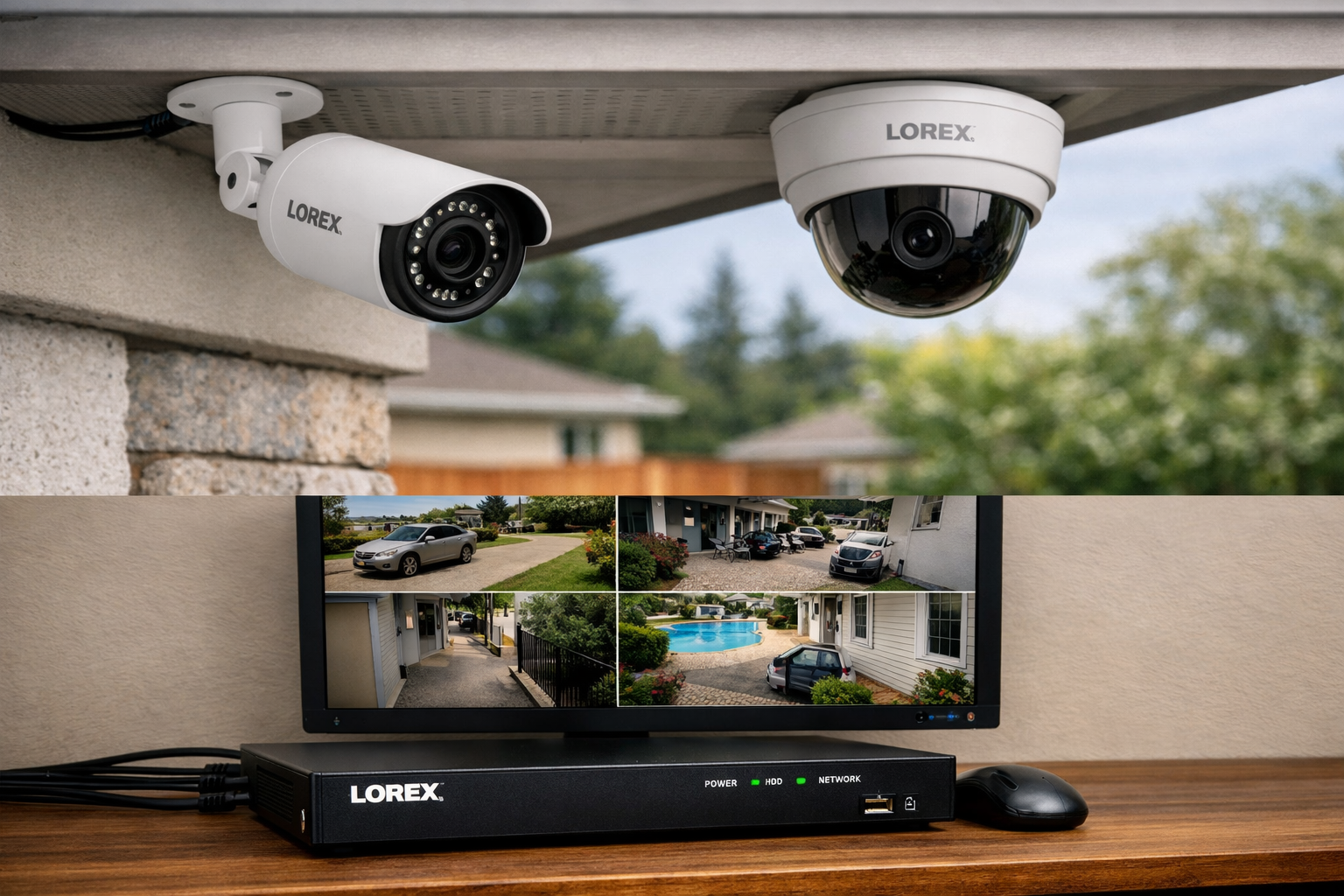
Lorex Outdoor Camera Review: Ten Years of a Wired System That Never Stopped
As an Amazon Associate I earn from qualifying purchases. Some links in this post go to Amazon and may earn me a small commission at no extra cost to you.
Last Updated on September 11, 2026 by Smarteryouu
⭐ Lorex Outdoor Camera Review: Ten Years of a Wired System That Never Stopped
Almost every Lorex outdoor camera review you will find was written within a month of the box being opened, which is the least useful moment to write one. A security camera that works in week two is not news. What matters is whether it is still recording in year seven, after several winters, a few power cuts and however many firmware updates. This one is written from the other end of that. The system here is a wired Power Over Ethernet setup with a recorder in the house, and it has been running around the clock at an Ontario home for ten years. That is long enough to have opinions worth reading, including the parts that are genuinely annoying. If you are trying to decide between a wired installation and the wireless cameras everybody sells now, that is the real question underneath this, and the last section answers it directly.

⭐ What Does Ten Years of Recording Actually Prove?
That the failure points in a camera system are almost never the camera. In ten years the things that could have gone wrong were the cable, the recorder, the drive and the weather sealing, and the reason it kept running is that a wired system has fewer moving parts than a wireless one, not that the cameras were special.
It also proves something duller and more useful. A system nobody has to maintain gets left alone, and a system that gets left alone is still working when you need it. Every wireless camera I have owned has needed something from me, whether that is a charge, a reconnection or an app that wants attention. This one has needed nothing.
The honest caveat is that ten years of one installation is one data point, not a study. What it can tell you is which category of system tends to age well, and that is a more useful thing to know than any specification comparison.
⭐ Why I Chose Wired in the First Place
The decision came down to one question. Do I want a camera that depends on my WiFi reaching the far corner of the property, or one that has its own cable.
Power Over Ethernet answers both halves at once, and that is the part people miss. A single cable carries the power and the video, so there is no outlet needed at the camera and no wireless signal to lose. The camera at the end of the garden is exactly as reliable as the one by the back door, which is simply not true of a wireless setup.
The second reason was where the footage lands. This records to a recorder in the house rather than to somebody else’s servers, so the video exists whether or not the internet is up, and there is no monthly charge for the privilege of keeping my own recordings.
Neither reason is about picture quality, which is where most comparisons spend their time. Both are about whether the thing works unattended for years, and the smart home section covers why that test matters more than any specification in this whole category.
⭐ The Setup, and What It Honestly Took
This is where wired loses and it is worth being straightforward about it. Installing this took a weekend, and a wireless camera takes about fifteen minutes.
The work is the cable runs. Every camera needs a path back to the recorder, which means drilling through an exterior wall, getting into the roof space or the basement, and pulling cable to each position. None of it is difficult and all of it is time consuming, and it is much easier if you plan every camera position before you drill anything rather than adding one later.
The advice I would give anybody doing this is to run more cable than you need on day one. Pulling a spare run to a position you might use later costs almost nothing while the walls are already open, and it is a miserable job to repeat for one extra camera in year four.
After that weekend, the maintenance has been essentially zero, which is the trade. A day of work once against fifteen minutes of work repeatedly, forever.
⭐ No Subscription, and What That Adds Up To
The recorder stores everything locally, so there is no plan, no cloud tier and nothing to cancel. Over ten years that is the largest single financial difference between this and the alternative, and it is invisible at the point of purchase because the wireless kit looks cheaper on the shelf.
The comparison worth doing before you buy anything is the three year or five year total rather than the box price. Hardware plus subscription against hardware plus nothing. That calculation changes a lot of minds and almost nobody does it.
Local storage has a second benefit that is harder to price. The footage is on a drive in the house, so nobody else decides how long it is kept, what resolution it is stored at, or whether a feature you rely on moves behind a higher tier next year. That is the same reasoning that eventually moved my files off a cloud subscription, which I wrote about in the post on running local storage at home.
⭐ How Has It Handled Ten Ontario Winters?
Better than expected, and the cold turned out not to be the problem. Cameras rated for outdoor use handle low temperatures fine. What causes trouble in a Canadian winter is water getting into a connection and then freezing, which is an installation issue rather than a camera issue.
The connections are the part to get right. Any joint sitting outside wants to be properly sealed and, where possible, positioned so water runs away from it rather than into it. A junction tucked under a soffit will outlast the same junction exposed on a wall by years.
The other winter reality is the picture rather than the hardware. Snow on the lens housing, low sun straight into the camera and long dark afternoons all degrade what you actually see, and no specification sheet mentions any of it. Positioning under an overhang solves most of it for free.
Battery powered cameras have a worse time of it in the same conditions, which is covered in the Ring monitoring guide.
⭐ The Downsides, Stated Plainly
Three, and anybody telling you a wired system has none is selling something.
It is not portable. Everything here stays with the house, so if you rent or expect to move soon, a weekend of cable runs is a weekend spent improving somebody else’s property. That alone rules it out for a lot of people.
It is inflexible. Moving a camera to a better angle means moving a cable, so the positions you choose at the start are largely the positions you live with. Wireless cameras can be repositioned in five minutes and that is a genuine advantage.
And the software is not the best in the category. The apps around wired recorders have historically lagged behind the polished wireless ecosystems, and if a slick phone experience is what you want, you will find this side of the market plainer. It works, it is just not charming.
⭐ Should You Buy Wired or Wireless?
Wired if you own the house, plan to stay several years, and would rather do one hard weekend than a small chore forever. Wireless if you rent, cannot run cable, want it working tonight, or expect to move. Reliability and running cost favor wired. Effort and flexibility favor wireless.
The mistake is treating them as competing versions of one product. They are two different purchases with different shapes. One is an installation you own outright and leave behind. The other is a service you subscribe to and take with you.
A lot of houses want both, which is what I ended up with. Wired cameras covering the perimeter continuously, and a wireless doorbell at the front where running cable would have meant lifting a path. And whichever you pick, get the account and the network right around it, which the guide to network and account security covers.
⭐ Best Sellers
Top Products and Picks
- A Power Over Ethernet camera and recorder kit, the right buy if you own your home and plan to stay. Everything arrives matched, which removes the compatibility guesswork that catches people building a system piece by piece.
- An outdoor rated network cable spool with weatherproof connectors, worth buying more of than you need before you start. Pulling a spare run while the wall is already open costs almost nothing and saves a miserable job later.
- A surveillance rated hard drive rather than an ordinary desktop one, for anyone recording continuously. Drives built for constant writing are the reason a system like this reaches year ten instead of year three.
- A small uninterruptible power supply for the recorder, worth adding once the system is in. It keeps recording through the short power cuts that happen in every storm, which is exactly when you would want the footage.
⭐ Final Thoughts
What ten years has actually taught me is that the interesting question in this category is not which camera is best. It is which system you will still be running when you have stopped thinking about it.
By that measure the wired setup won easily, and not because the hardware is remarkable. It won because it asks nothing of me. No charging, no reconnecting, no monthly payment, no app reminding me about a plan. It simply records, and it has done that through every winter since it went up.
If you are somewhere you intend to stay, that is worth one difficult weekend. If you are not, buy the wireless one without guilt and get on with your life. The worst outcome is the one where somebody spends a lot of money on a system that suits a situation they are not actually in.
⭐ Additional Resources
Before pointing a camera at anything beyond your own property, the privacy guidance on surveillance is worth reading. Cameras that capture a neighbor’s yard, a shared driveway or a sidewalk raise questions that are easier to think about before installation than after a complaint.