
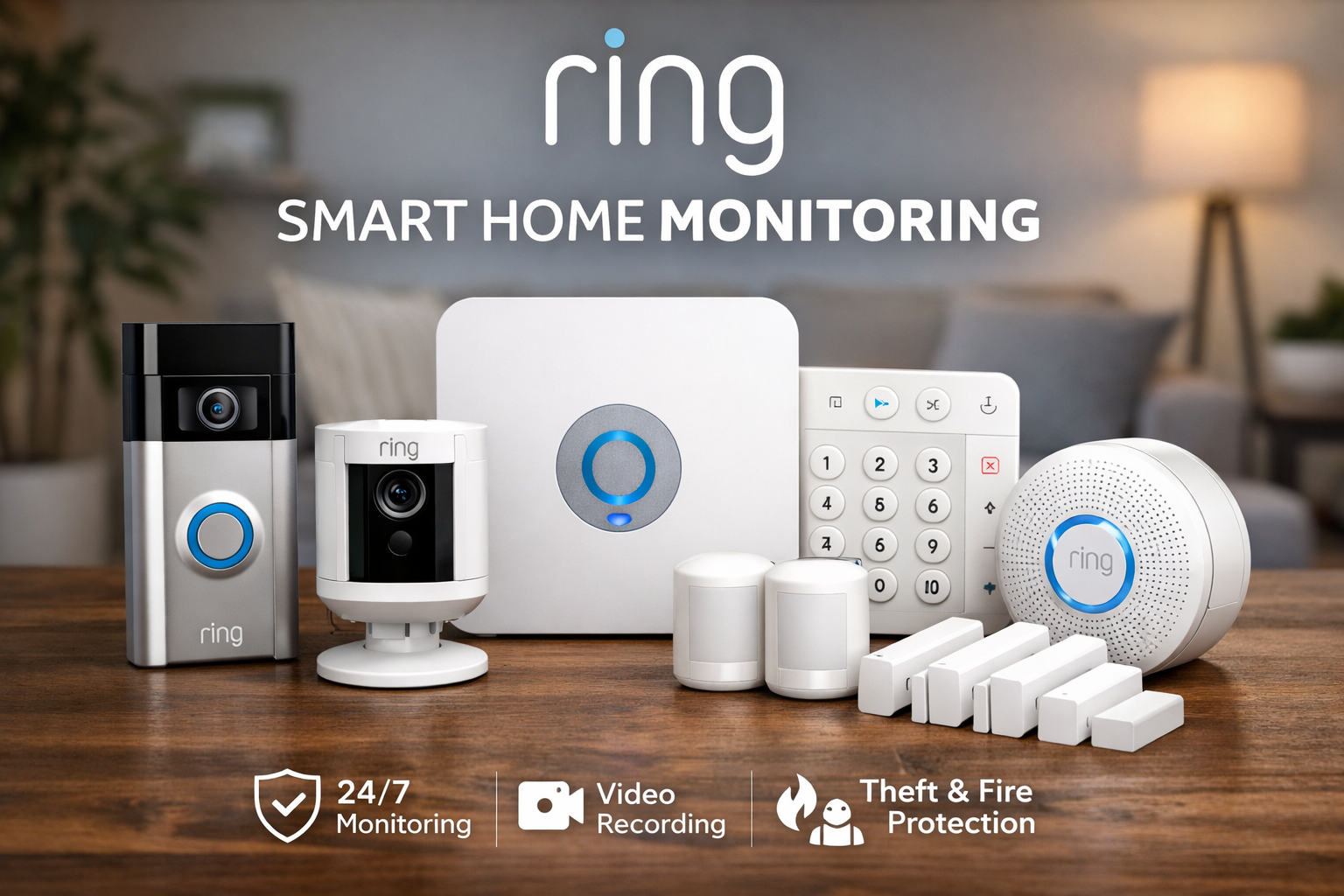
Ring Smart Home Monitoring: What It Does Well and Where It Falls Short
As an Amazon Associate I earn from qualifying purchases. Some links in this post go to Amazon and may earn me a small commission at no extra cost to you.
Last Updated on September 7, 2026 by Smarteryouu
⭐ Ring Smart Home Monitoring: What It Does Well and Where It Falls Short
Ring smart home monitoring is the system most people meet first, because it is sold everywhere, it installs in an afternoon and it does not require anybody to come to your house. I have run it here for long enough to have opinions that are not in the marketing. Some of them are good. The doorbell has genuinely changed how deliveries and visitors work, and self monitoring at a low monthly cost is a real alternative to a contract with an alarm company. Some of them are less good, and the battery routine is the one nobody warns you about. What follows is the honest version rather than a feature list, including the specific situations where I would tell somebody to buy something else instead. If you are choosing between this and a wired system, the last section is the one to read.

⭐ What Does the Subscription Actually Buy?
Recorded video history and the ability to look back at what happened. Without a plan the devices still alert you in real time and you can still open a live view, but clips are not saved, so anything you missed is gone. That is the whole trade, and it is why almost everybody ends up subscribing.
It is worth being clear eyed about that, because the hardware is sold as a one time purchase and then behaves like a service. The camera without history is a doorbell with a live view. The camera with history is a security system. The difference is the monthly fee, not the device.
Compared with a traditional monitored contract, it is still inexpensive and there is nothing to cancel with a phone call. Compared with a system that records locally to a box you own, you are renting something you could have bought once. Both of those comparisons are fair and they point in opposite directions.
⭐ Installing It Yourself, Honestly
The self installation is the strongest part of the product and it is not marketing. If you can use a drill and follow an app, you can have a doorbell and a couple of sensors working the same afternoon.
The one part that catches people is the doorbell wiring. If you have existing chime wiring the doorbell can run from it and you never think about charging. If you do not, you are on batteries, and that changes the ownership experience considerably. Check what is behind your existing doorbell before you order anything, because that single fact decides which model you should buy.
The other thing worth doing on day one is mounting height. A doorbell set at the height that looks right on a wall gives you a lovely view of the top of somebody’s head. Slightly lower than feels natural is correct, and moving it later means new holes.
Anything involving mains wiring is a different job from mounting a battery unit, and the foundation guide covers where the line sits between a weekend job and a trade job.
⭐ The Doorbell Earns Its Place More Than the Cameras
If I could keep only one piece of this system it would be the doorbell, and it would not be close. The reason has almost nothing to do with security.
It is deliveries. Knowing a parcel arrived, seeing where the driver put it, and being able to tell somebody at the door that you are not home are all small things that happen several times a week. A camera watching the side of the house is useful roughly never, right up until the one evening it matters.
That has a practical consequence for buying. Start with the doorbell alone, live with it through a season, and add cameras only where you can name the specific thing you want to see. Households that buy a four camera kit on day one almost always end up with two cameras pointed at nothing in particular.
⭐ Batteries, and the Chore Nobody Mentions
This is the part reviews written in the first fortnight cannot tell you, because it does not show up until the device has been through a winter.
Battery life is not a fixed number. It is a function of how much the device sees. A camera facing a quiet side path lasts for months. The same camera facing a street with cars and pedestrians is recording constantly and needs charging far sooner, and cold weather shortens everything.
Two things make it manageable. Buy a spare battery so charging is a swap rather than an outage, and tune the motion zones hard so the device is not waking up for the road. Most people leave the detection area at the default, which is the single biggest cause of both flat batteries and alert fatigue.
If the idea of charging anything is a problem, that is a legitimate reason to look at wired instead, which is covered in my ten year review of a wired camera system.
⭐ How Good Are the Alerts in Practice?
Good once you tune them, and useless until you do. Out of the box a camera facing anything busy will send so many notifications that you stop reading them, which is worse than no alerts at all because you learn to swipe them away without looking.
Half an hour of setup fixes it. Shrink the motion zones to the area you actually care about, turn off alerts for the camera that faces the garden, and leave notifications on for the doorbell only. The goal is a system that pings you rarely enough that you look every time.
Person detection helps and is not magic. It cuts the number of pointless alerts considerably and still occasionally decides a shadow is a visitor. Treat it as a filter rather than a promise.
The other setting worth doing on day one is adding everybody in the house to the account properly, with their own access rather than sharing one login. It sounds administrative and it solves a real problem, because a system where only one person gets the alerts is a system where the doorbell goes unanswered whenever that person is in a meeting. It also means nobody needs to know the main password, which matters more than it sounds.
⭐ Where It Falls Short
Three things, and none of them are dealbreakers on their own.
It depends entirely on your internet and on somebody else’s servers. If the connection drops, recording stops. That is true of most wireless systems and it is the reason I keep the outdoor cameras on a wired setup that records to a box in the house.
The costs stack quietly. A doorbell, two cameras, a couple of sensors and a plan is a different number from the one on the shelf edge, and the plan is forever. Work out the three year figure before you commit, not the day one figure.
And the account is the weak point rather than the hardware. Everything the cameras see is behind one login, so that login needs a strong unique password and two step verification turned on. This is the single most important thing on this page and it takes five minutes. The guide to network and account security covers it properly.
⭐ Should You Buy This or a Wired System?
Buy this if you rent, if you cannot run cable, or if you want it working today. Buy wired if you own the house, plan to stay, and would rather pay once than monthly. Wired wins on reliability and running cost. Wireless wins on effort and flexibility, and there is no wrong answer.
The honest summary after living with both is that they are different products sold under the same word. One is a service you subscribe to and can take with you when you move. The other is an installation you own and leave behind.
Plenty of houses want both, which is what I ended up with. Wired cameras covering the outside continuously, and a wireless doorbell at the front where running cable would have been miserable. If you are still working out what to buy in what order, the smart home section lays out the whole sequence.
⭐ Best Sellers
Top Products and Picks
- A video doorbell, the only piece of this system worth buying on day one. Check what is behind your existing doorbell first, since the wired version removes the charging routine entirely.
- A spare rechargeable battery pack, worth buying at the same time as any battery device rather than after the first flat one. It turns charging from an outage into a two minute swap.
- A set of door and window contact sensors, for anyone who wants to know if something opened rather than watch footage of it. Cheaper than cameras, no batteries to charge for years, and far fewer false alerts.
- A plug in indoor camera rather than a battery one for anywhere indoors. There is almost always an outlet inside, and mains power removes the only real annoyance in this whole category.
⭐ Final Thoughts
What surprised me most is how little of the value turned out to be about security. The doorbell is used constantly and almost all of it is deliveries, dog walkers, and telling somebody through the speaker that we are not in.
That is worth knowing before you buy, because it changes what you should get. If the goal is peace of mind about the front of the house, one doorbell does most of it and the rest of the catalogue is optional. If the goal is a genuine security installation, the questions become wired against wireless and local against cloud, and those are decisions to make before you own three things that pushed you down one path by accident.
Start with the doorbell. Live with it for a season. Then add only what you can name a reason for.
⭐ Additional Resources
Because everything these devices record sits behind a single login, the public guidance on account security is worth ten minutes. It covers strong passwords and multifactor authentication, which are the two things that matter most on a camera account and the two most often skipped.