
Network Attached Storage at Home: Four Years After Leaving the Cloud
As an Amazon Associate I earn from qualifying purchases. Some links in this post go to Amazon and may earn me a small commission at no extra cost to you.
Last Updated on October 3, 2026 by Smarteryouu
⭐ Network Attached Storage at Home: Four Years After Leaving the Cloud
Four years ago I moved roughly thirty thousand files off a cloud subscription and onto a small box in my own house. Network attached storage sounds like something for a server room, and for a while I assumed it was not a thing ordinary households did. It turns out to be closer to owning a bookshelf than running a data center. This is what actually happened after four years rather than what the product pages promise. What the move cost in money and in a weekend of effort, what it genuinely improved, one important thing I got wrong at the start, and the specific kinds of people I would tell to stay exactly where they are. If you are paying monthly for storage and quietly wondering whether that is forever, this is the honest version of the alternative.

⭐ What Is It, in Plain Terms?
A small box with hard drives in it that plugs into your router. Every device in the house can reach it, it has its own apps for syncing photos and files, and it works the way a cloud service does except the storage is sitting in your house instead of a rented one.
The thing that surprised me most is how ordinary it is to live with. Photos from a phone land on it automatically. A folder on the laptop syncs to it the way a cloud folder does. Nobody in the household has to know it exists or learn anything new, which is the only realistic test of whether a change like this survives.
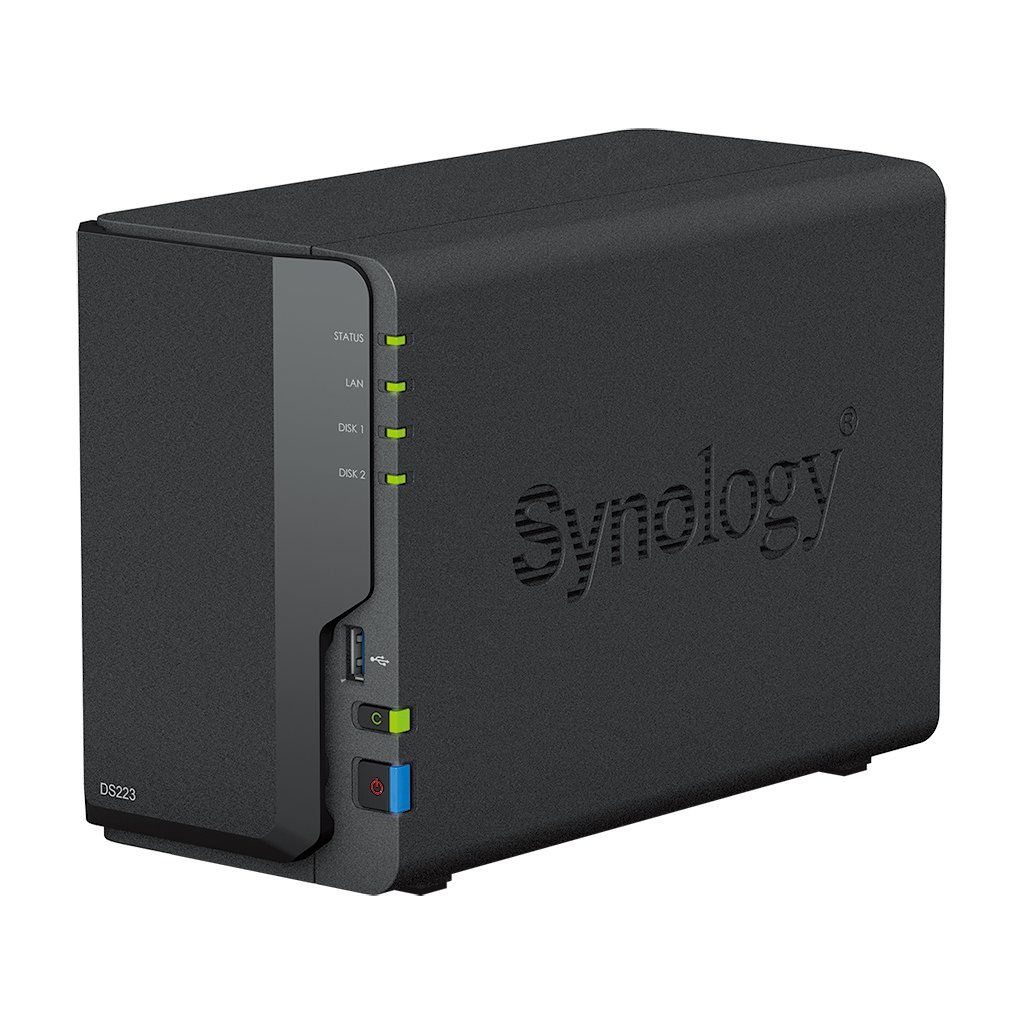
Mine is a small two drive Synology, a DS223, running their Drive software. That is a modest, unglamorous machine and it is more than enough for a household. The instinct to buy something larger is worth resisting until you know what you actually store.
⭐ What Pushed Me Off the Cloud
Not one thing. A slow accumulation of small annoyances that eventually added up to a weekend of work.
The first was the ratchet. Storage fills, the plan bumps up, and it never comes back down, because deleting enough to drop a tier is more work than paying the difference. Every year the number was slightly larger and there was no version of the future where it got smaller.
The second was that it never felt like mine. Thirty thousand files, most of them photographs of people I love, living somewhere I did not control, under terms that could change, in a format that made leaving deliberately awkward. That is not paranoia, it is just how subscriptions are designed.
The third was practical. Anything genuinely large was painful to work with over an internet connection, and the household had files scattered across four devices with no single place any of it lived.
⭐ Moving Thirty Thousand Files
This is the part that puts people off and it deserves an honest description. It took a weekend, most of which was waiting rather than working.
The download is the slow half. Pulling everything out of a cloud service happens at whatever speed your connection allows, and thirty thousand files is a lot of small transfers. Start it on a Friday evening and do something else. The upload onto the box afterwards is fast because it never leaves the house.
The genuinely useful advice is not to reorganize while you migrate. The temptation to finally sort twelve years of photographs into sensible folders is strong and it turns a weekend into a month, at which point the migration stalls half finished. Move everything as it is, verify it arrived, then tidy later or never.
And keep the cloud subscription running for a month afterwards. Cancelling the moment the copy finishes is how people discover a folder did not come across, with nothing to go back to.
⭐ Does It Actually Save Money?
Over a long enough period, yes, and not quickly. You pay for the box and the drives up front, which is several years of subscription in one go, and only after that does it start coming out ahead. Four years in, the arithmetic is clearly favorable. At eighteen months it would not have been.
So this is a poor decision if you are trying to save money this year and a good one if you expect to be storing these files for a decade. Photographs and household documents are exactly that kind of file, which is why it suits households better than it suits a short project.
There are running costs people forget. It draws a small amount of power continuously, drives eventually need replacing, and you should be budgeting for a second copy of everything somewhere else. None of that is large and all of it is real. Working out the whole number over several years rather than the sticker price is the same habit that decides most technology purchases well, which the foundation guide covers for the rest of a connected house.
⭐ A Box at Home Is Not a Backup
This is the most important paragraph on the page and it is the thing I understood least well at the start.
Two drives in one box protect you from one drive failing. They do not protect you from the box failing, from a fire, from a flood, from a theft, or from you deleting a folder and not noticing for six weeks. All of those destroy both drives at once, because both drives are in the same room.
What you want is a second copy that lives somewhere else. That can be an external drive kept at a relative’s house and swapped occasionally, or a cheap cloud tier used only as a backup rather than as your working storage. Either is fine. Having neither is the common mistake, and moving off the cloud is exactly when people make it, because it feels like the files are safer now.
The rule worth remembering is that files exist in one place or in several. One place is not storage, it is a single point of failure with a nice app on it.
⭐ What It Is Genuinely Good At
Being the one place everything lives. That sounds modest and it is the whole point, because the actual problem in most households is not storage capacity, it is that nobody can find anything.
Phone photographs land on it without anybody doing anything. Documents that used to exist in three slightly different versions on three laptops now exist once. And large files behave normally, because they are moving across a cable in your house rather than up and down an internet connection.
Getting at your files from outside the house is the question everybody asks next, and the answer is that it works and it is the one part worth setting up carefully. The manufacturers provide a service that handles the connection for you, which is the sensible route for most households. What you should not do is open your box directly to the internet because a forum post said it was faster, since that is how these devices end up in the news.
The other thing it quietly enabled is not paying attention to it. Four years in I think about this box roughly twice a year. That is the same test that decides whether any connected device earns its place, and the honest audit of what earns its place applies it across everything else in the house.
⭐ Who Should Not Buy One?
Anyone whose files comfortably fit in a free or cheap cloud tier, anyone who moves house often, and anyone who does not want to be the person responsible when something stops working. A cloud subscription includes somebody else worrying about the hardware, and that is worth real money to plenty of households.
It is also the wrong purchase if you are hoping it will be interesting. It is not. It sits on a shelf and blinks. The people who enjoy this enjoy having solved a problem, not having a new hobby.
And if the appeal is keeping your own data rather than saving money, be honest that the same instinct has other applications in a house, from where camera footage is stored to which devices need the internet to function at all. The ten year review of a locally recorded camera system is the same argument applied to video, and the smart home section covers the rest.
⭐ Best Sellers
Top Products and Picks
- A two drive network attached storage enclosure, the right size for a household rather than a business. Buy the small one first. Almost nobody outgrows two drives as fast as they expect to, and the larger units cost considerably more.
- A pair of drives rated for continuous operation, bought at the same time as the enclosure. Ordinary desktop drives are cheaper and are not built to spin constantly, which is exactly what this asks of them.
- A large external drive kept somewhere else, which is the piece most people skip. Buy it with the enclosure, not later, because the second copy is what turns storage into an actual backup.
- An uninterruptible power supply, worth adding once everything is loaded. Sudden power loss while a drive is writing is the most common way these units come to grief, and short outages are common in most places.
⭐ Final Thoughts
The thing I did not expect was how little I think about any of it now. That was not the goal when I started. The goal was to stop paying a subscription that only ever went up, and the subscription is gone, but the better outcome was quieter than that.
Everything is in one place. The photographs are not scattered across four devices and two accounts. When somebody asks whether we still have a document from years ago, the answer is yes and it takes ten seconds. That is a small domestic improvement rather than a technological one, and it has outlasted the money argument by a distance.
If you do it, keep the second copy somewhere else and do not reorganize while you migrate. Those are the two pieces of advice I would give my past self, and between them they cover most of what goes wrong.
⭐ Additional Resources
On the point above about a second copy, the national guidance on backing up your information is a short and neutral explanation of why copies need to live in different places, and it applies to a household exactly as it does to an organization.